How to Connect OCPP-Compatible EV Chargers with the Green Solar App
What is OCPP?
OCPP (Open Charge Point Protocol) is an open standard for communication between EV chargers and central management systems. Many EV charger manufacturers support OCPP, making it possible to connect various charger brands through a single integration.
Preconditions:
- Ensure your EV charger supports OCPP 1.6.
- Your charger must be configured to connect to an OCPP backend.
- Have your charger’s connection details ready (Charge Point ID).
Connecting Your OCPP Charger with Green Solar
To connect your EV charger, enter the following URL in the OCPP settings in your charger vendor’s app. You will find the OCPP URL in Green Solar when adding an OCPP charger.
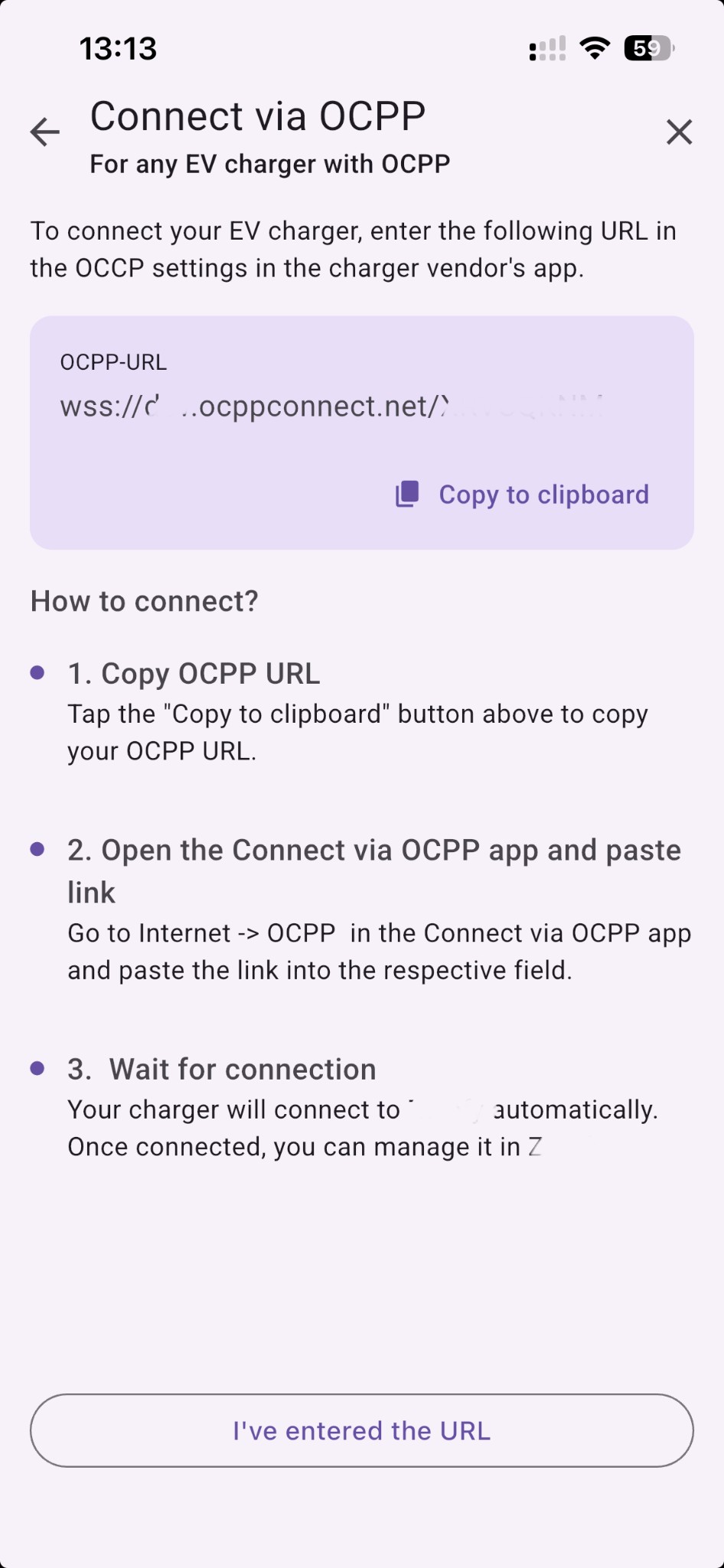
How to connect?
-
Copy OCPP URL – In Green Solar, tap the “Copy to clipboard” button to copy your OCPP URL.
-
Open the Connect via OCPP app and paste link – Go to Internet → OCPP in the Connect via OCPP app (or your charger’s configuration app) and paste the link into the respective field.
-
Wait for connection – Your charger will connect to Green Solar automatically. Once connected, you can manage it in Green Solar.
Features and Things to Know
With OCPP integration, you can:
- Remotely manage your EV charging.
- Monitor energy consumption and charging history.
- Start and stop charging sessions remotely.
- Set charging power levels.
- Benefit from smart charging features within Green Solar’s ecosystem, for example charge on excess solar with Autopilot (Solar Mode).
Supported Charger Brands
Many charger brands support OCPP connectivity. If your charger brand is not directly integrated with Green Solar, you may be able to connect it via OCPP.
For a list of OCPP-certified chargers, see the Open Charge Alliance Certified Products.